Step 01 · two minutes
Run the installer. That is the whole install.
No admin rights, no runtime to fetch, no service to configure. It updates itself in place from then on, so you stay current without doing anything.
Windows 10 and 11 · auto-updating
Telemetry · live · 127.0.0.1:5301
RaceIQ reads your sim at 60 Hz, records every lap to a database on your own PC, and names the corner the time went into. Then it keeps all of them — so getting faster stops being a feeling and becomes a line on a chart.
Windows 10 / 11No accountAGPL-3.0Free, actually
Circuit
Spa-Francorchamps
7.004 km · 19 corners
Gear
–
Lap
1
An animated map of Spa-Francorchamps with a field of cars circulating, driving the live speed, gear and sector readouts shown alongside.
Speed
0km/h
Sectors
S1
——.———
S2
——.———
S3
——.———
245
Commits on main
15
Public releases
60 Hz
Telemetry capture
4
Sims supported today
$0
Forever · 0 accounts
Why you are reading this
The free overlays give you a number and forget it the moment you leave the garage. The paid coaches want a card on file and your laps on their servers. Neither keeps a record you own. RaceIQ does all of it, keeps every lap on your drive forever, and costs nothing — because it is not a business.
What you have been using
RaceIQ
Installing it, in full
Step 01 · two minutes
No admin rights, no runtime to fetch, no service to configure. It updates itself in place from then on, so you stay current without doing anything.
Windows 10 and 11 · auto-updating
Scroll ↓
01 · Supported games
RaceIQ reads UDP telemetry and shared memory. If a game exposes an open stream, it can be supported. The ones that aren't yet are blocked on access, not on interest — a spare key or a sponsorship unblocks them.
Console players: point the game at your PC over wired ethernet. UDP Forwarder
02 · Analysis
Overlay any two laps. Speed, inputs and cumulative delta aligned by distance — not by time, which is what makes a comparison meaningful once the laps diverge. Scrub the trace below; it's real telemetry.
Circuit
Spa-Francorchamps · 9 laps
Lap 3 · reference
2:17.400
Lap 5 · comparison
2:18.007
Final delta
+0.607
Corner breakdown
Δ sec
At
2,247 mS1
Lap 3
158 km/h
Lap 5
179 km/h
Cumulative Δ
+0.306
Speed / distance · T3 · apex 158 km/h
Cumulative delta · above the line, lap 5 is behind
Position
32% of lap
Drag the trace, or use the arrow keys. Corners are detected from the braking events in the trace itself, numbered from the line. Lap 3 wins most of them — but not all of them, which is exactly the kind of thing a lap time alone will never tell you.
03 · Progression
Every other telemetry tool shows you one lap and forgets it. RaceIQ keeps all of them, forever, on your drive. Personal bests are marked as they happen. Pace and consistency are scored per session. The heatmap remembers the weeks you put in — and the chart remembers what they bought you.
Session best 2:17.400−4.812 s across 14 sessions
Days driven · 26 weeks
184 h
04 · Driver profile
RaceIQ builds a profile of the laps you have already driven: how you brake, how early you get to throttle, how repeatable you are, and which of those has moved since last month. Not a leaderboard rank — a description of your driving, and the one trait worth working on next.
Career record
Every session, lap, kilometre and circuit you have driven since the day you installed it.
Style fingerprint
Six traits measured off your input traces — braking, trail braking, throttle application, consistency, tyre management, racecraft.
Movement over 90 days
Each trait carries its own delta, so improvement is a number you can point at rather than a feeling.
Your driver profile
Primary sim · ACC — Recording since day one
1,284
Laps recorded
9,040
Km driven
184 h
Wheel time
11
Circuits learned
Consistency. Your lap-to-lap spread is inside two tenths across a full stint.
Tyre management. Front-left core is past the grip cliff by lap 4 of every stint.
05 · Toolkit
Live dashboards, lap and corner analysis, setup ranges you can validate, and a catalogue of every car and circuit in the game. None of it behind a key.
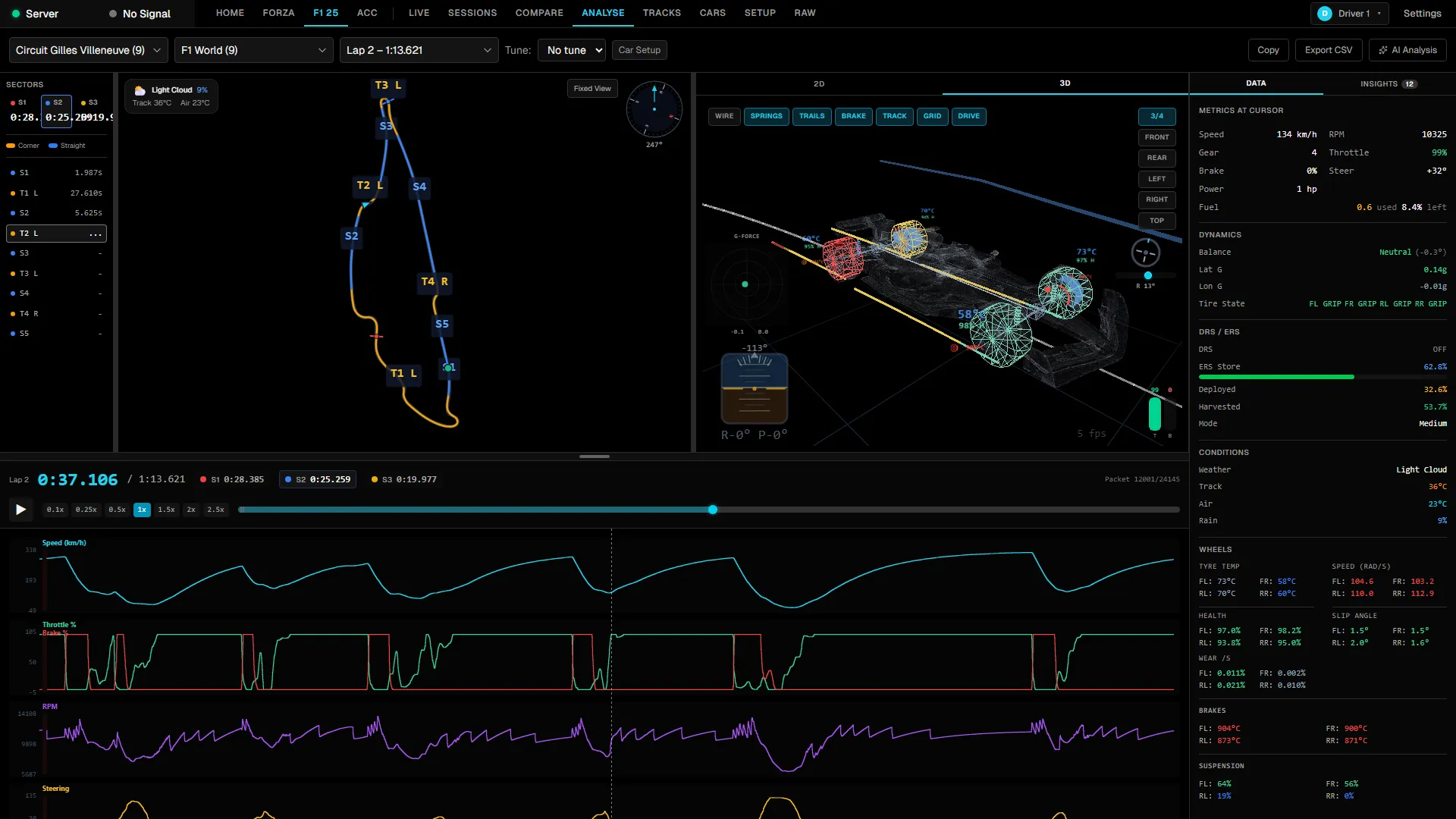
Speed, throttle, brake, steering and G-force traces with automatic lap and corner detection. Every corner gets a row, a delta and a verdict.
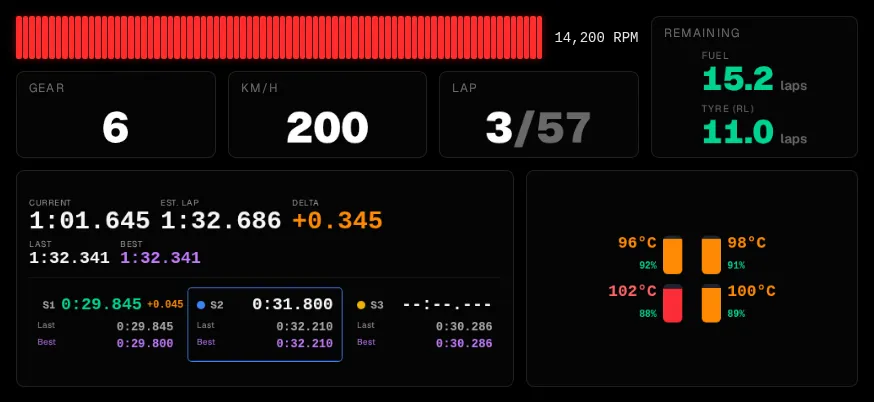
Speed, RPM, inputs, tyre temperature and wear, fuel, pit window and sector timing — rendered as you drive, per game.
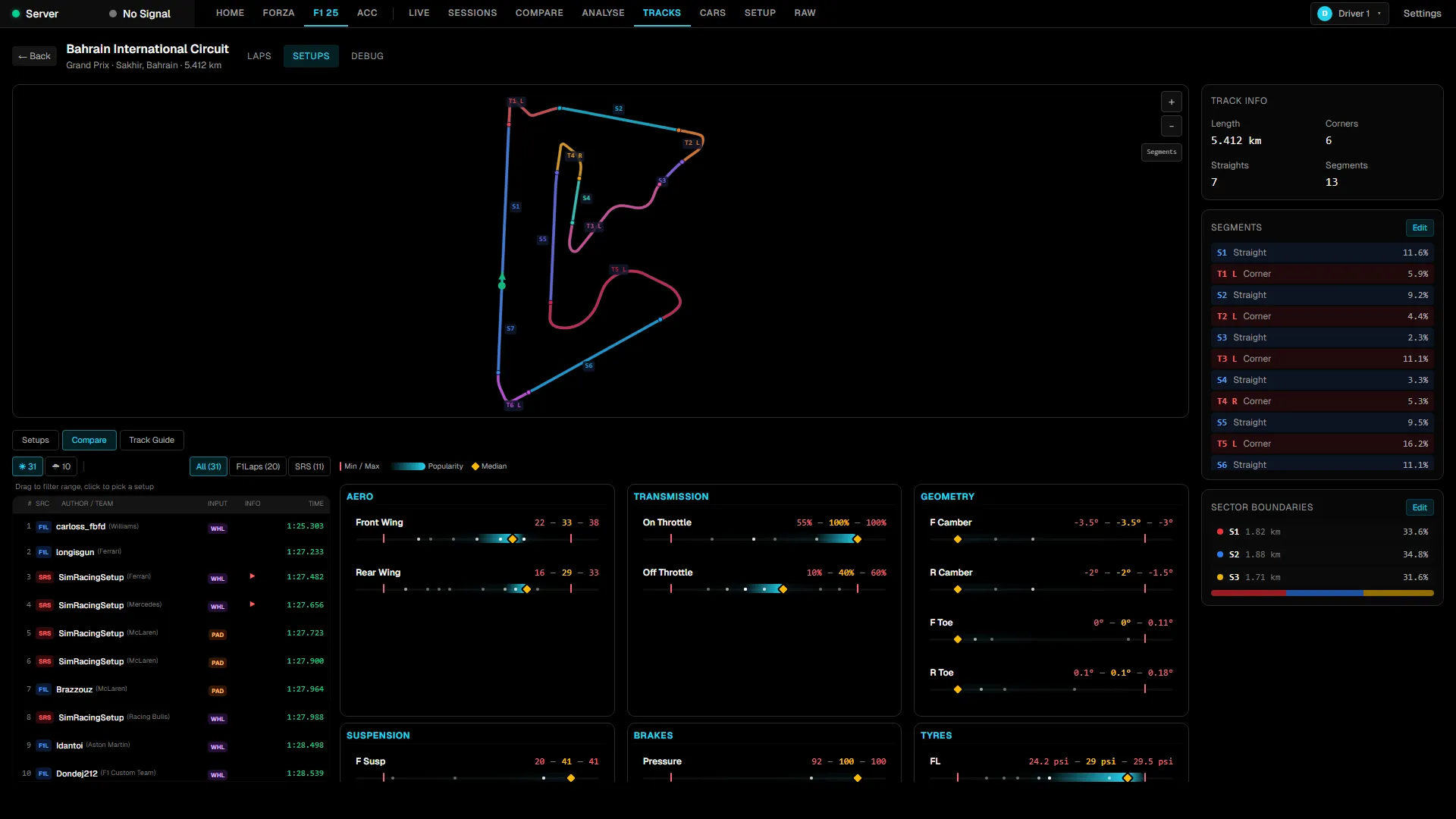
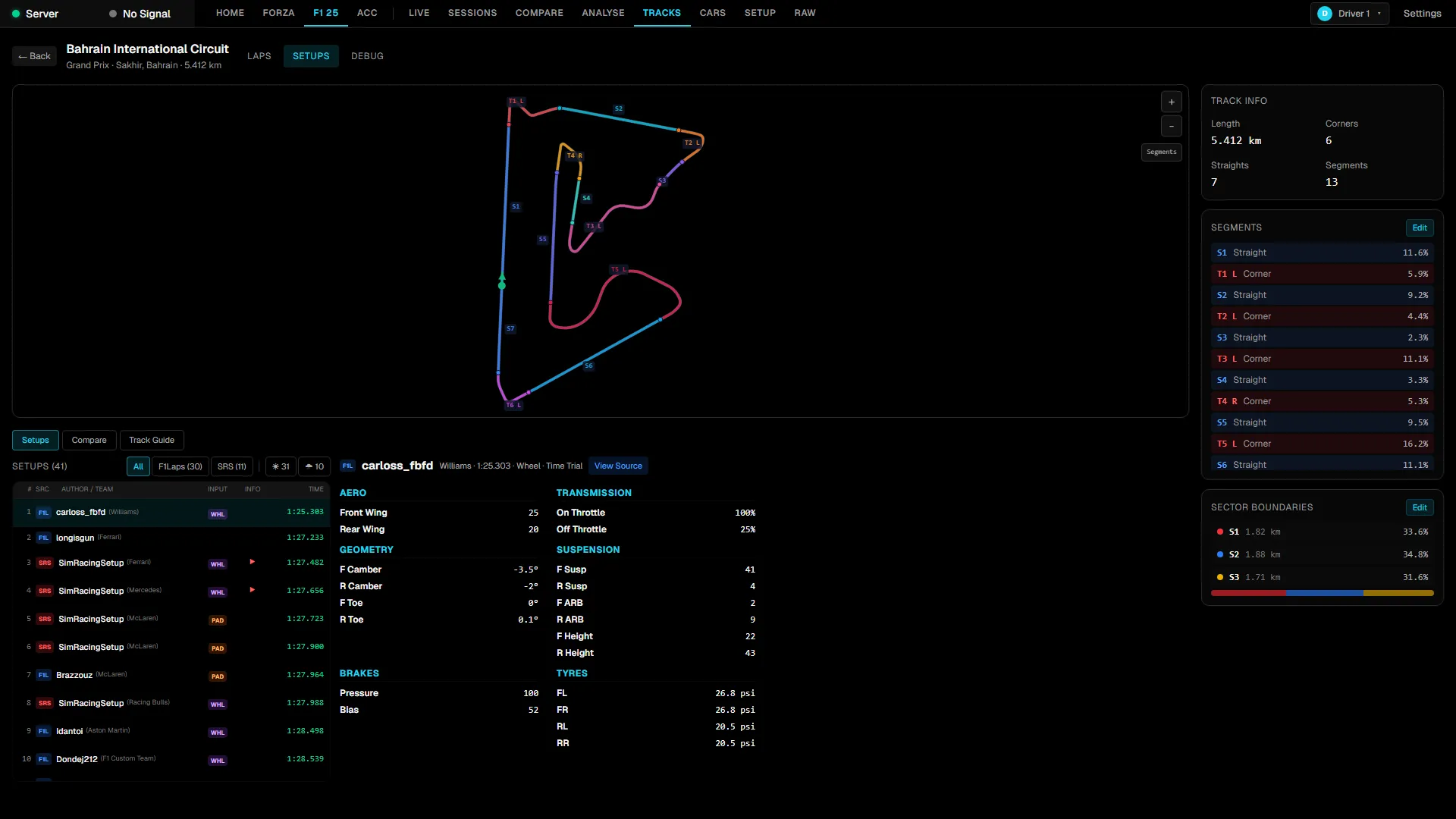
See the setting ranges quick drivers converge on, then run structured A/B tests to prove a gain is real.
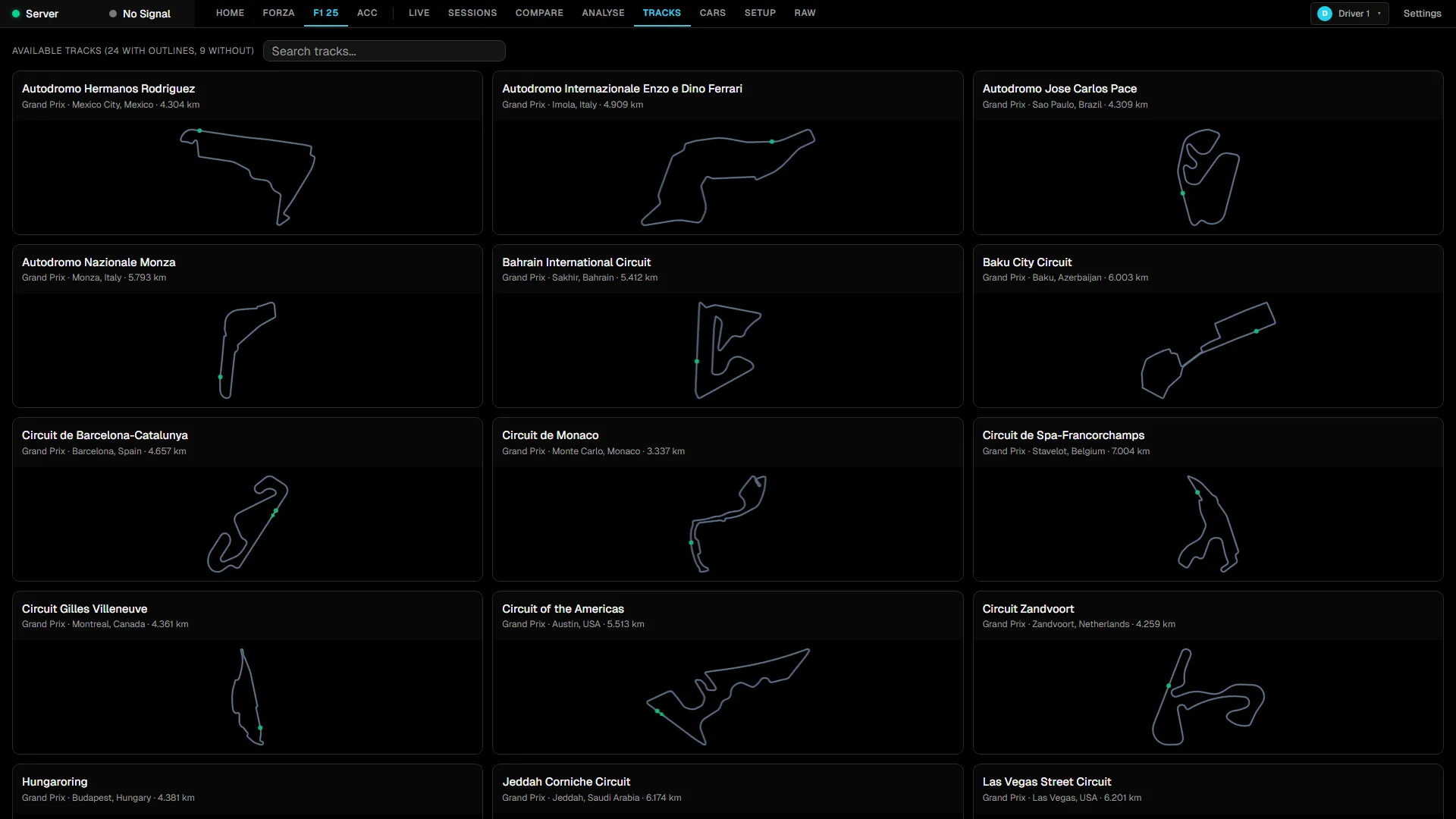
Bundled outlines, sector boundaries and named corners. Anything missing maps itself as you drive it.
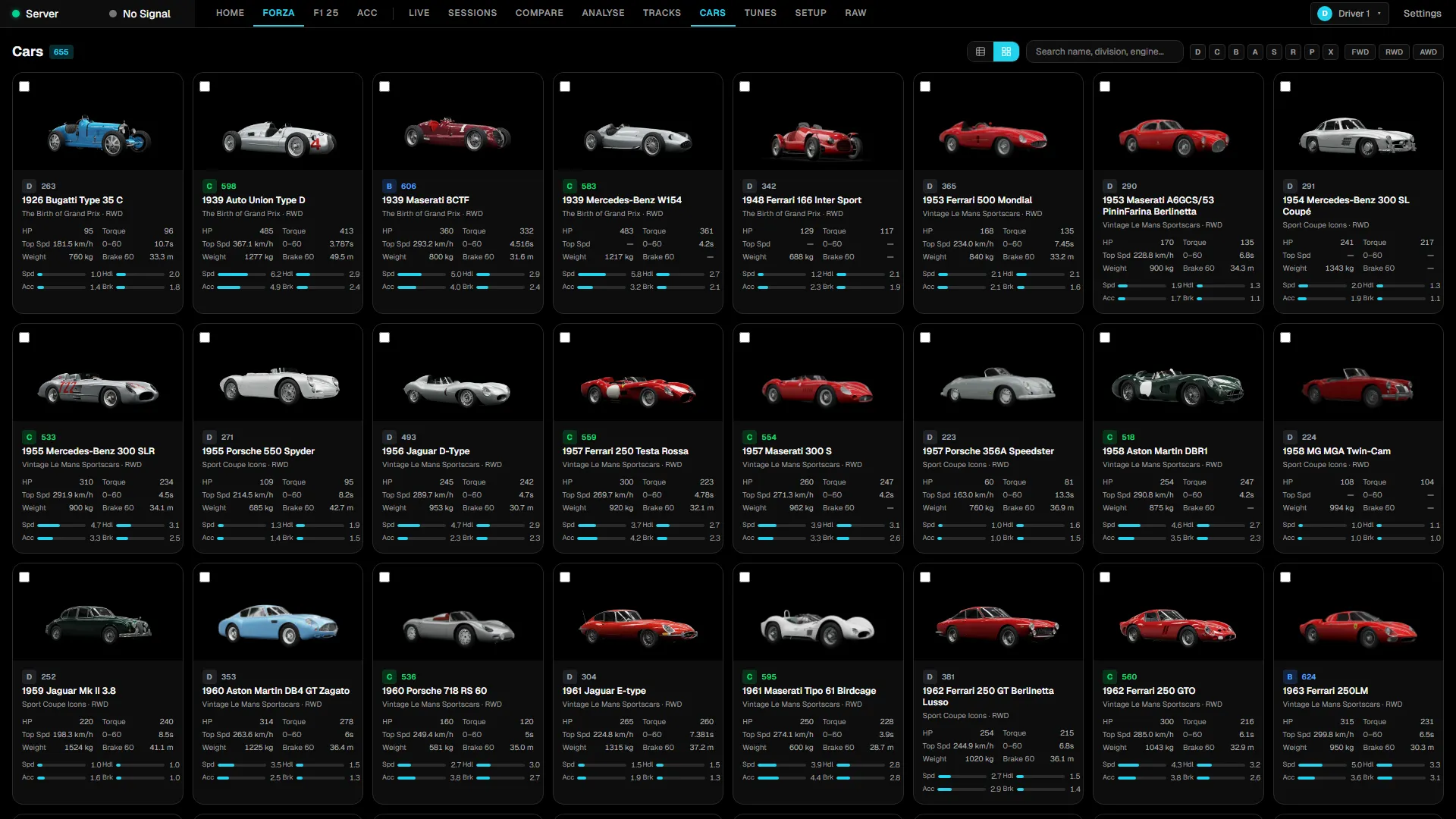
Filter by division, drivetrain and performance index, then compare any two cars side by side.
Pull the fastest public tunes and see the ranges the community actually settles on.
06 · Coach
Send a lap to the model of your choice — cloud or fully local. The analysis is grounded in the telemetry you actually recorded.
Lap analysis · chat
Ollama · localCompare this lap against my personal best. Where am I losing time?
Three losses. Les Combes (+0.089s): you brake 14 m later and carry 6 km/h more to the apex, but stay flat for another 0.42 s past the clipping point. Earlier apex, throttle on before the kerb.
And the tyres?
Front-left core hit 103 °C on lap 3, past the grip-drop cliff. Take 0.4 psi out of the fronts or pull 0.1° of toe-out.
Context · 4,826 telemetry frames · 2 laps · tune "GT3 Spa" · 312 tokens
Local-first
Every lap you record stays in a SQLite database on your own drive. The only thing that ever leaves your machine is a prompt you explicitly choose to send.
Questions
Track Titan, Coach Dave Delta, Sim Racing Telemetry, Racing View are good products aimed at the same job. The difference here is the economics: free, open source, and it runs entirely on your machine.
Read the sourceActually free. No licence, no subscription, no feature gate, no account. The source is AGPL-3.0 on GitHub and you can read every line. The only thing that ever costs money is an optional AI API key, and you can avoid that too by running a local model.
No. Telemetry is read on your PC and written to a SQLite database on your PC. No account, no sync, no analytics. The one exception is deliberate and opt-in: if you send a lap for AI coaching, that lap goes to whichever provider you configured — or nowhere at all, if you point it at Ollama or LM Studio running locally.
No. Live dashboards, lap and corner analysis, comparison, session recap, the car and track catalogues, setups and Experiments all work with no key configured. AI coaching is one feature among many.
Not today. RaceIQ is a Windows application — the installer targets Windows and the shared-memory readers for ACC and AC Evo are Windows-specific. Pretending otherwise would just waste your download.
Yes, if you have a Windows PC on the same network. Forza and F1 will send UDP telemetry to an IP you nominate, so point the console at the PC running RaceIQ. Wired ethernet at both ends — wireless drops packets and puts holes in the traces.
It can, since a game generally sends its UDP stream to one destination. The UDP Forwarder companion tool takes that single stream and fans it out, so your wheelbase software and RaceIQ both get it.
It says alpha because it is alpha. It is used daily and updates itself in place, so you stay current without doing anything — but expect rough edges and expect things to move. The Discord is the fastest route to a fix.
Install · Windows 10 and 11
Install RaceIQ, point your game's telemetry at 127.0.0.1:5301, and start a session. It records from the first green flag.
No admin rights · No account · Nothing leaves your machine